Zoho Books8 min read
Zoho Books for Small Businesses: Simplify Finances
Learn how Zoho Books helps small businesses manage invoices, track expenses, monitor payments, and organise their financial operations.
Praba
Oct 16, 2026
Managing sales becomes more challenging as a business attracts more prospects and handles more customer enquiries. Sales teams must keep track of conversations, remember follow-up dates, update opportunity statuses, and understand which deals are most likely to close.
When these activities depend on spreadsheets, email threads, and personal reminders, important information can easily get overlooked. A structured customer relationship management system can help businesses organise their sales activities and give teams a clearer view of their opportunities.
Zoho CRM provides tools to manage customer information, track leads, monitor deals, and organise follow-up activities in one place. Understanding how to use these capabilities effectively can help businesses build a more consistent sales process.
Many growing businesses begin with a simple approach to sales. Enquiries arrive through websites, phone calls, email, social media, and referrals. Employees record the details wherever it is convenient and follow up when they have time.
This approach can work for a small number of enquiries. However, as the volume increases, managing every opportunity becomes more complicated.
Common challenges include:
These challenges are not always caused by a lack of effort. Often, the underlying problem is that the business does not have a consistent system for managing its sales activities.
Zoho CRM can help address these issues by providing a central place to organise customer information and establish repeatable workflows.
A reliable sales process begins with knowing who your potential customers are and understanding where they came from.
Zoho CRM allows businesses to maintain lead records containing relevant information, such as contact details, lead sources, assigned sales representatives, and follow-up activities. Teams can use this information to organise enquiries and decide which prospects need attention.
For example, imagine a consulting company receiving enquiries through its website, advertising campaigns, and direct referrals. Without a structured process, employees might record each enquiry in separate spreadsheets, making it difficult to track progress.
With Zoho CRM, the business can establish a consistent process for capturing and managing leads. Depending on the configured integrations, website enquiries and other lead sources can feed into the CRM, reducing the need for repeated manual entry.
The team can then assign leads to the appropriate representatives, record interactions, and track their progress.
It is also important to maintain good data quality. Businesses should establish clear rules for required fields, record ownership, and duplicate handling so that customer information remains reliable as the database grows.
Explore our Zoho CRM services to learn how a structured CRM setup can support your sales operations.
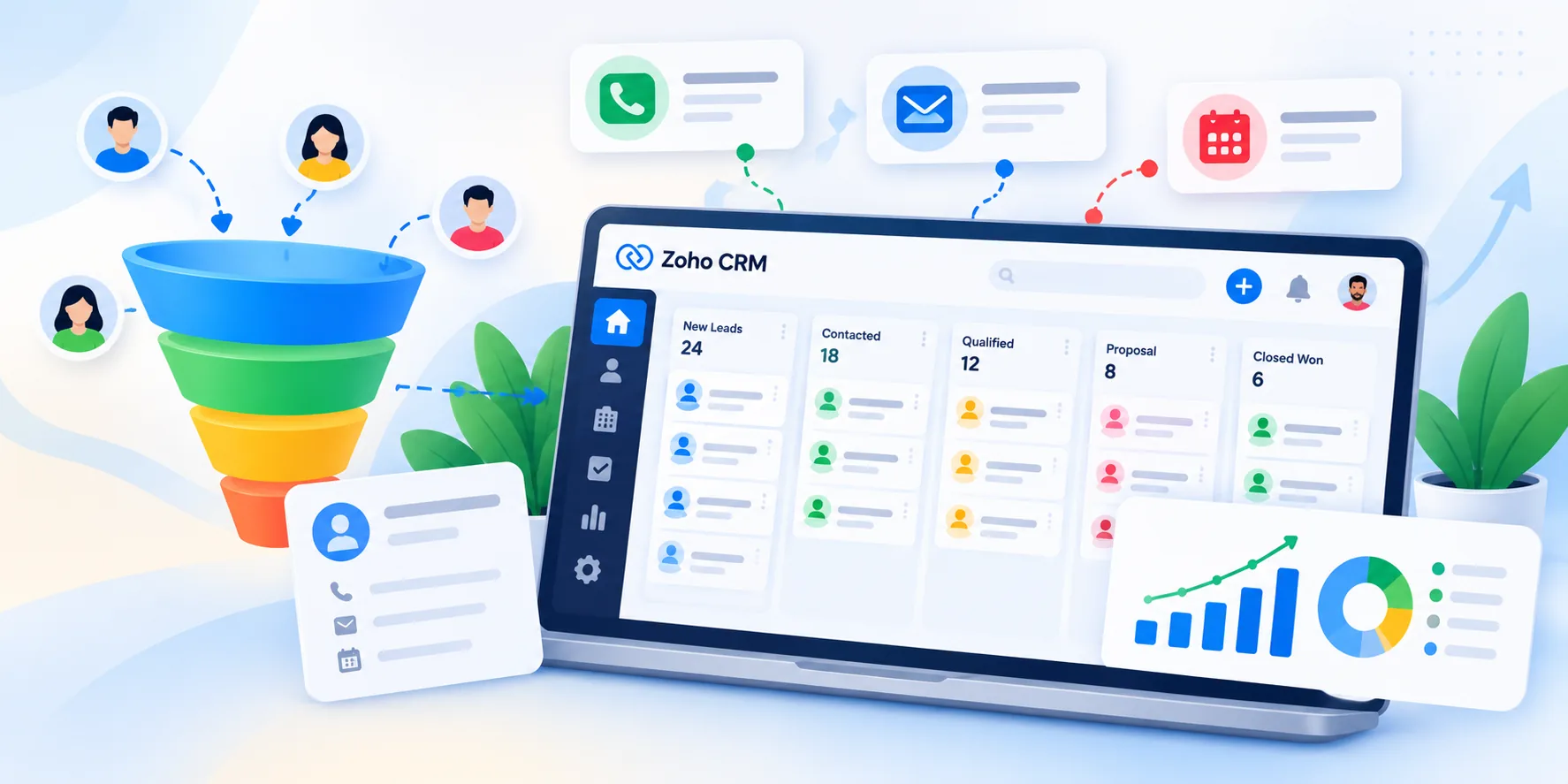
A sales pipeline helps businesses understand how potential customers move from their first enquiry towards a purchase.
Instead of treating every lead as an identical opportunity, a business can define stages that reflect its actual sales process. Depending on the organisation, these stages might include initial contact, qualification, meeting scheduled, proposal sent, negotiation, and closed.
Zoho CRM supports customisable deal pipelines and stages, allowing businesses to organise opportunities according to their sales workflow.
When employees update deals consistently, sales managers can review the pipeline to understand which opportunities require attention and where deals may be getting delayed.
For example, if several opportunities remain in the proposal stage for an extended period, a manager can review whether customers need additional information, a follow-up conversation, or a revised proposal.
A useful pipeline should reflect how the business genuinely sells. Adding too many stages can make the process difficult to maintain, while having too few can hide important differences between opportunities.
Start with a simple structure that employees can follow consistently. Refine it as the business learns which stages provide meaningful information for sales management.
Following up at the right time is an important part of sales management. However, relying entirely on memory can make the process inconsistent, particularly when representatives manage many opportunities simultaneously.
Zoho CRM provides workflow automation capabilities that can help businesses reduce repetitive administrative work. Depending on the configuration, workflow rules can trigger actions such as sending notifications, updating fields, or creating tasks when specified conditions are met.
Consider a sales representative who sends a proposal to a prospective customer. The business can establish a process to create a follow-up task after a defined period, provided the deal remains in the appropriate stage.
This helps the representative remember the next action without manually maintaining a separate reminder list.
Businesses can also use task management and activity tracking to organise calls, meetings, and other sales activities.
However, automation should support the sales process rather than replace meaningful communication. A customer who has already responded or requested additional time should not receive unnecessary reminders simply because an automated rule was configured without considering the workflow.
Before introducing automation, identify the repetitive tasks that cause delays, define the conditions under which an action should occur, and test the workflow using realistic scenarios.
Managing sales requires more than knowing how many leads entered the pipeline. Business owners also need to understand how opportunities progress and where the team may need support.
Zoho CRM includes reporting and dashboard capabilities that help teams review sales activities and performance using available CRM data.
Useful indicators may include:
These indicators help managers identify patterns and ask more useful questions about the sales process.
For example, a high volume of leads combined with a low number of qualified opportunities may indicate that the business needs to review its lead sources or qualification criteria. If qualified opportunities frequently stall after proposals are sent, the team may need to examine its follow-up practices or proposal process.
The value of a dashboard depends on the quality of the underlying information. If employees fail to update deal stages or record outcomes consistently, reports may not accurately reflect business performance.
Establish clear data-entry expectations and review the most relevant indicators regularly. The goal is to make better decisions, not simply to collect more metrics.
Implementing Zoho CRM successfully requires more than creating user accounts and importing customer records. The system should reflect the way your business manages leads, qualifies opportunities, communicates with customers, and closes deals.
A practical implementation can follow five steps.
Document your existing process. Identify how enquiries arrive, who handles them, how opportunities progress, and where delays commonly occur.
Define your pipeline. Establish clear stages and specify what must happen before an opportunity moves to the next stage.
Configure users and responsibilities. Set up appropriate user access, record ownership, required fields, and assignment rules based on your team's structure.
Introduce useful automation. Start with high-value workflows, such as task creation, notifications, and lead assignment. Test each workflow before making it part of daily operations.
Train the team and review results. Help employees understand how to maintain accurate records and use the CRM consistently. Review adoption, data quality, and sales process indicators after implementation.
Businesses with more complex requirements may also need integrations with websites, marketing applications, accounting systems, or other business tools. These connections should be evaluated according to the business's actual needs and the supported integration capabilities.
Working with an implementation partner can help businesses translate their requirements into a practical CRM configuration. This may include workflow design, data migration, integrations, customisation, and employee training.
At Zovysys, we help businesses evaluate their requirements and implement suitable Zoho solutions to support their operations. The objective is to build a CRM process that fits the business rather than forcing the team to work around an unsuitable configuration.
You can explore our Zoho services to understand how CRM implementation and related solutions can support your organisation.
A well-organised sales process can help your business manage enquiries more effectively, improve team visibility, and establish a consistent approach to customer relationships. If you are considering Zoho CRM for your organisation, schedule a consultation with our team to discuss your requirements and explore an implementation approach suited to your business.
Learn how Zoho Books helps small businesses manage invoices, track expenses, monitor payments, and organise their financial operations.

Learn how Zoho Desk helps businesses organise support tickets, manage customer enquiries, automate routine tasks, and improve service workflows.

Discover how Zoho People helps businesses organise employee records, manage leave, streamline HR processes, and improve workforce administration.
Talk to our Zoho experts and get guidance tailored to your business goals. No obligation, just a conversation.
Talk to Our Zoho ExpertsWe use cookies to analyse site usage. See our Privacy Policy.